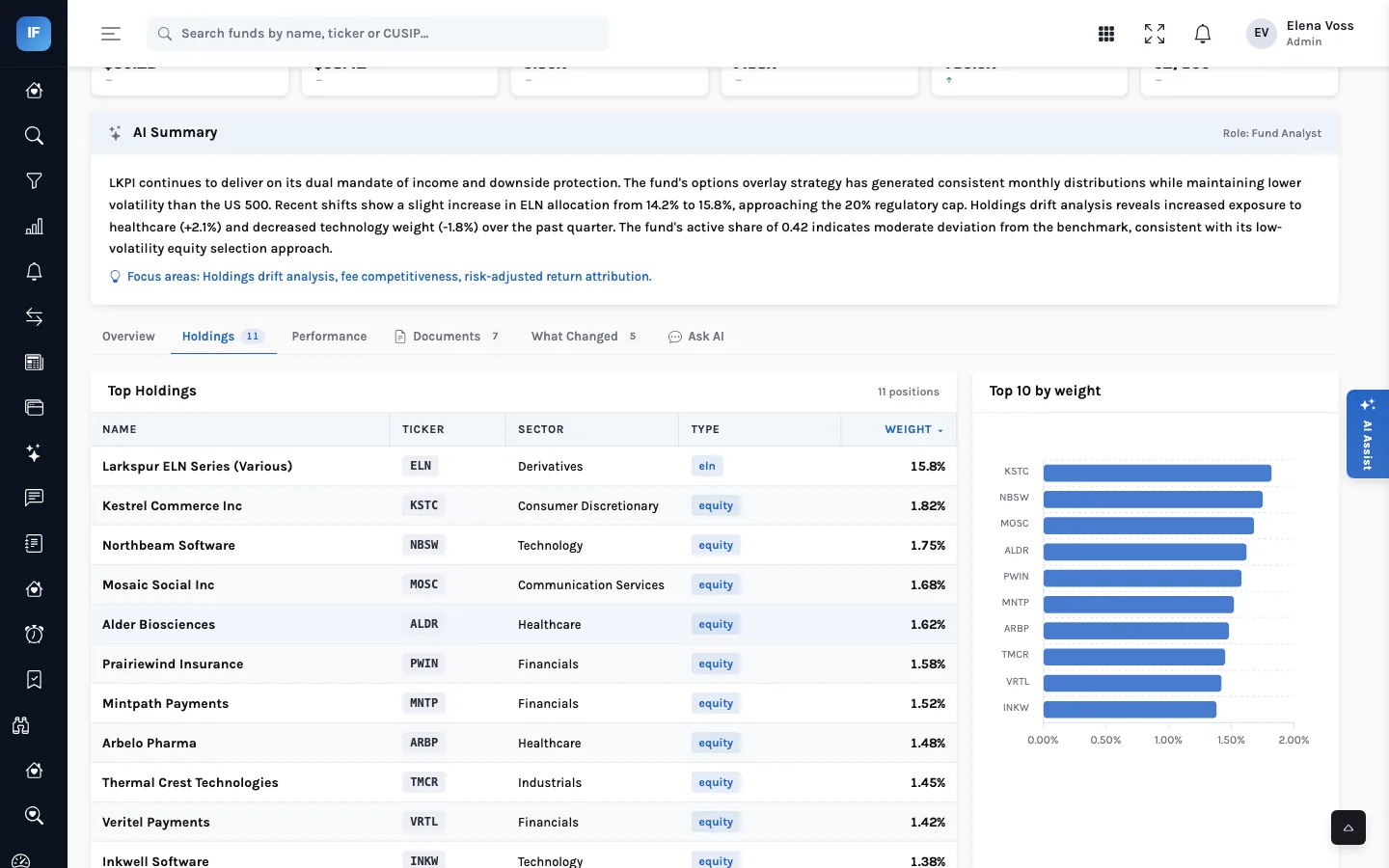
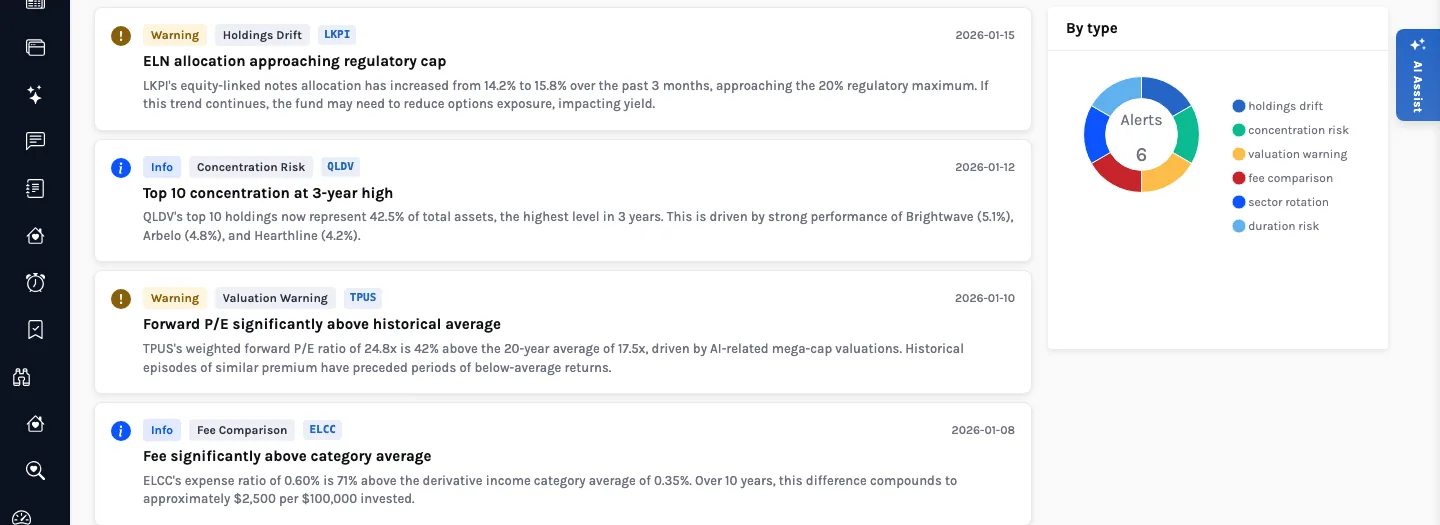
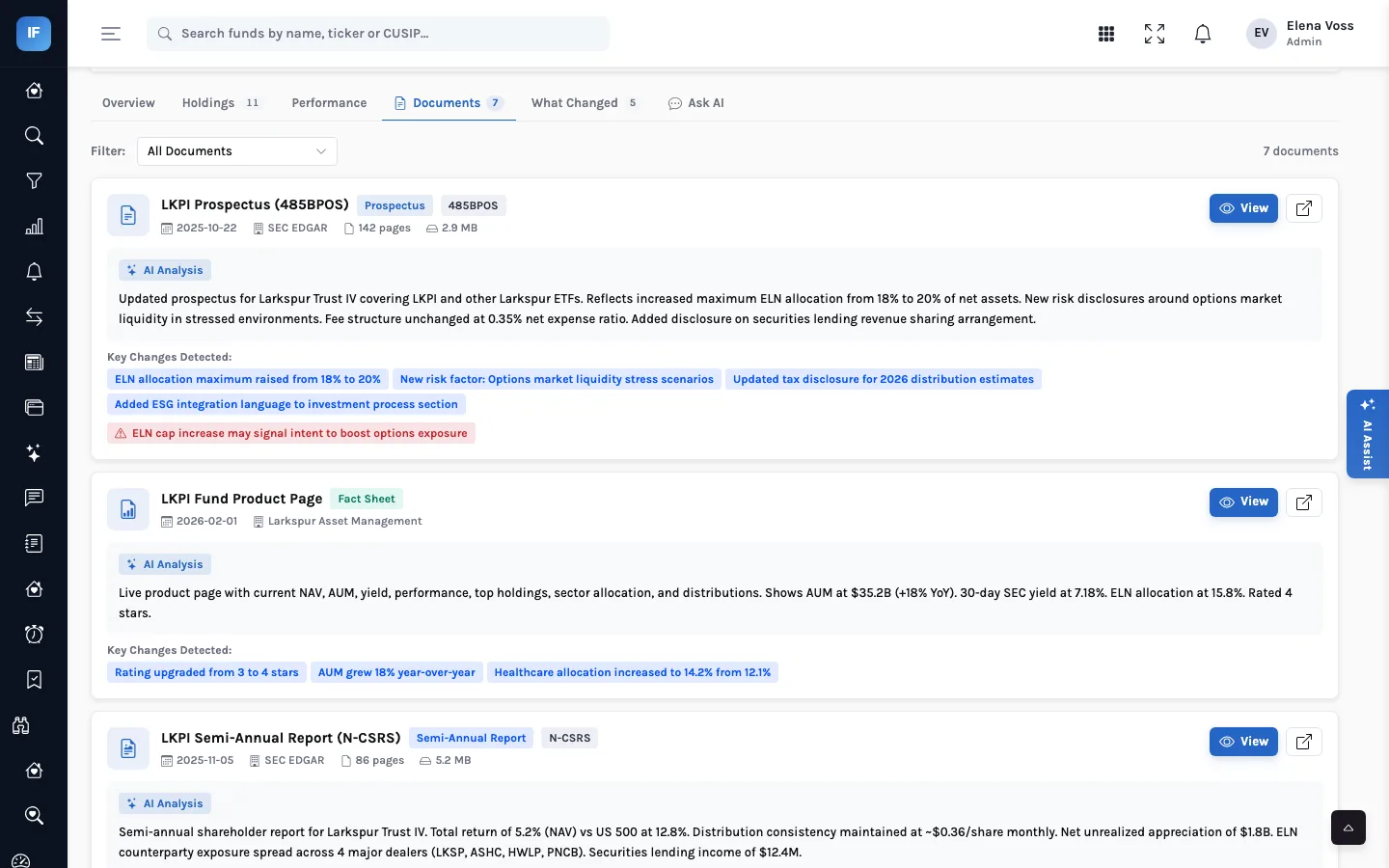
Answering “what does this fund actually own, and what changed?” still means opening a prospectus, a fact sheet, the latest holdings filing and a performance table, often for dozens of funds a week. InsightFundz brings those into one screen per fund, the fund 360, and watches them for the changes that matter.
Who it is for
Four teams, the same data: portfolio managers who need to know what moved in the funds they hold or compete with, investment advisors who compare funds for a client, research analysts who track holdings and strategy across a coverage list, and risk and compliance teams who watch concentration and drift against a stated objective. The copilot and summaries adapt to the role you choose in the “view as” selector: fund analyst, financial advisor, portfolio manager or compliance officer.
Where the data comes from
- SEC EDGAR: InsightFundz looks up a fund's CIK from its ticker and finds its filings: the N-PORT holdings reports, prospectuses (485BPOS, 497, 497K, N-1A), annual and semi-annual shareholder reports (N-CSR, N-CSRS) and the annual census (N-CEN).
- Extraction turns the N-PORT holdings report into positions with weights, asset types and sectors, and prospectuses into a structured profile and a summary, using a language model instructed to return structured fields.
- A market-data feed supplies daily NAV and prices, fund information and performance.
The fund 360
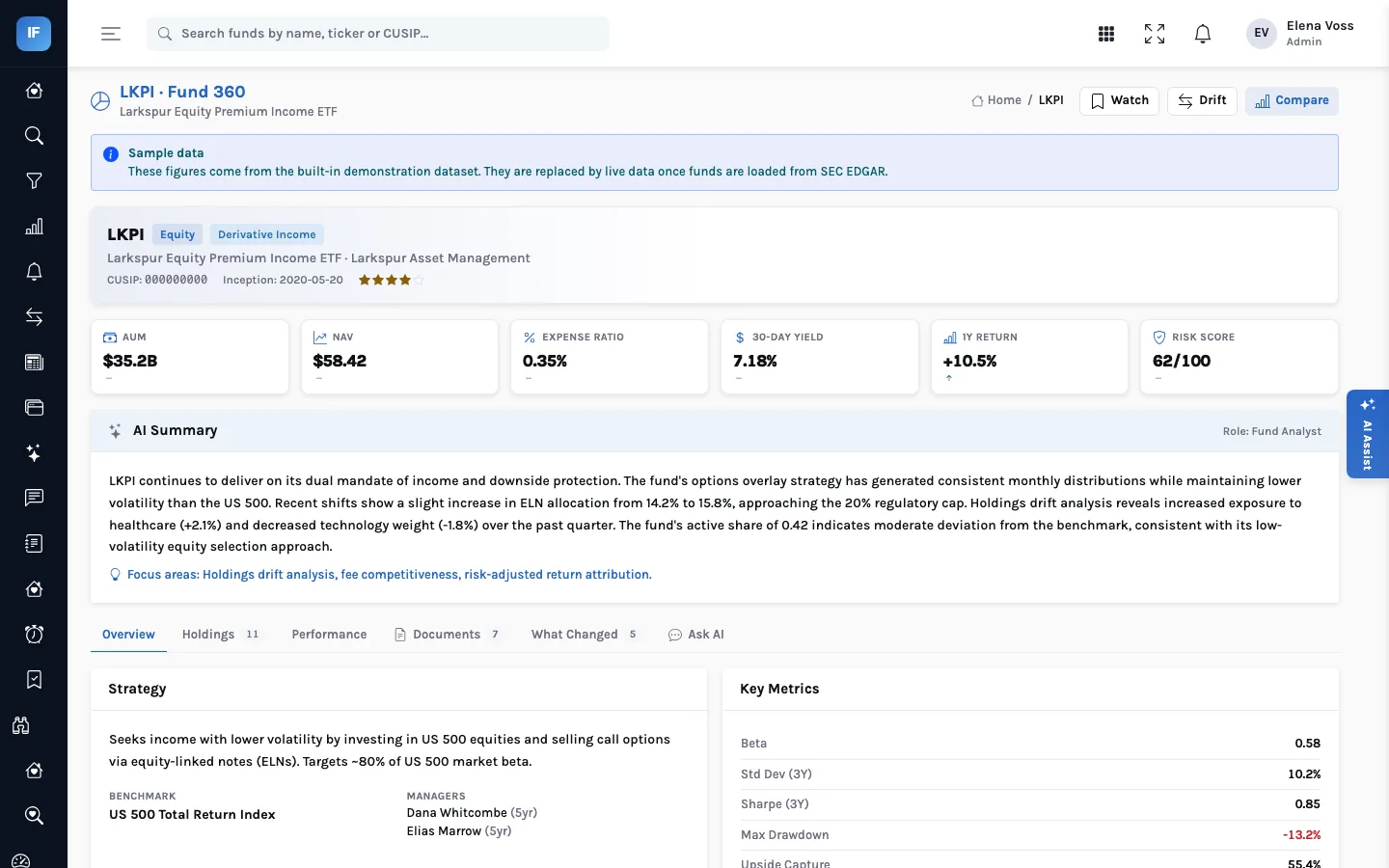
Each fund gets one page with six tabs: an overview of strategy, benchmark, managers and key risk metrics; holdings and sector allocation; performance against the benchmark, by period and by month; documents, each with an AI analysis and the key changes detected; what changed, a dated timeline of strategy, holdings, distribution, milestone and regulatory events; and Ask AI, a copilot for that fund. From the page you can watch the fund, open its holdings drift or compare it with peers.
Around the 360
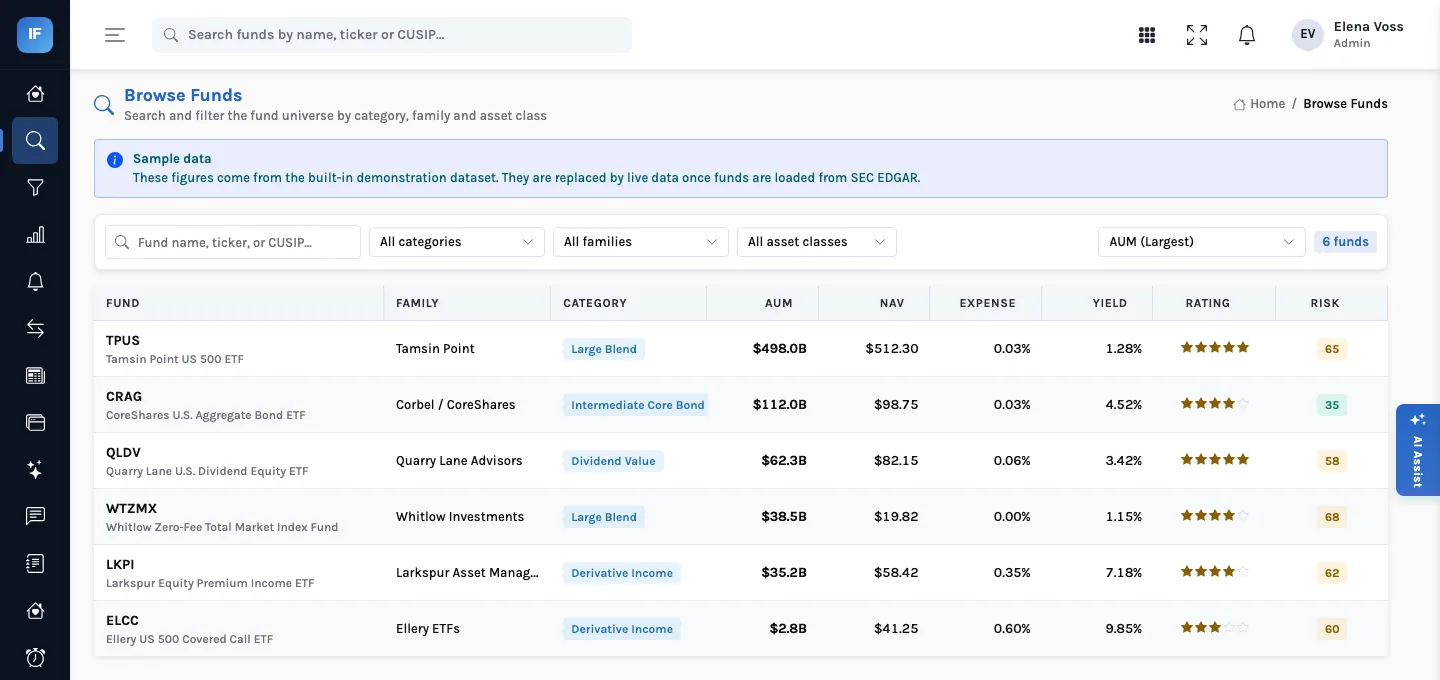
- Browse and screen the universe by category, family, asset class, yield, expense, rating and risk, or describe what you want to the screener in plain words.
- Peer comparison lines funds up metric by metric against the category average, with the best value in each row highlighted, and a holdings overlap between any two.
- Intelligence alerts flag holdings drift, concentration, fee and valuation signals; a weekly digest summarizes what changed across the funds you follow.
- Embed widgets put a fund's key figures on an internal page or portal.
Monday morning for a research analyst
A research analyst at a fictional wealth manager, Ashgrove Capital, covers forty funds. Instead of opening forty fact sheets, she opens the alerts list: one income fund's options allocation is approaching its prospectus limit, and a dividend fund's top ten holdings are at their highest concentration in three years. She opens the first fund's 360, reads the what changed timeline and the prospectus analysis, and has her note for the investment committee before the market opens.
What each part of the 360 draws on
A fund 360 combines figures computed from your stored funds with AI output from the model you connect. Before any funds are loaded, the built-in demonstration dataset fills each panel and the screen says so.
| Area | With funds loaded from EDGAR | Notes |
|---|---|---|
| Browse, search, fund 360 header and holdings | Your stored funds and holdings | Holdings are the top positions extracted from the latest N-PORT |
| Holdings drift and sector rotation | Computed from stored snapshots | Needs at least two snapshots of the same fund |
| Screener filters | Applied to stored funds | Yield, expense, rating, asset class and risk score |
| Alerts list | Stored alert records | The rules and thresholds are covered in the alerts article |
| Peer comparison page and holdings overlap panel | A category of funds side by side, and the overlap between two funds | A per-fund peer analysis is computed from stored funds in the API |
| Copilot answers, summaries, document analyses | Your language model and, for citations, a vector index | Answers cite the indexed passages they used |
How to tell whether it fits your team
- Your coverage is US-registered funds. Everything starts from SEC filings; a fund with no EDGAR filings has no holdings or documents to show.
- Your questions are about holdings, cost and change. “What does it own, what did it promise, what moved?” is the core. Attribution, tax lots or trading are not in scope.
- You can run a refresh job. Loading runs through the ingestion endpoints and the scheduler, so someone owns the refresh after each filing cycle.
- You have, or can approve, a language model. Profile and holdings extraction use one. Without it you can still browse, but new funds will not get a profile or holdings.
Questions buyers ask
Does InsightFundz give investment advice?
No. It gathers what the filings and the market-data feed say, compares funds and flags changes. Decisions and suitability stay with your people, and the copilot is told to say when the documents do not answer a question.
Do we need to buy a data licence?
SEC filings are public. NAV, prices and performance come from a market-data feed; check that the feed you connect is licensed for how you will use it, especially in client-facing material.
Can we try it before loading anything?
Yes. With no funds stored, every screen runs on the demonstration dataset and says so, which is how the screens in this blog were taken. The notice disappears once real funds are stored.
Which model does it use?
In the default configuration, structured extraction uses an OpenAI model and the copilot and digest use Anthropic Claude through Amazon Bedrock. Both are configuration, and both can be left unset while you evaluate the screens.
Next: how InsightFundz reads an N-PORT filing and finds holdings drift.